Is There a Doorbell Camera That Works Without Wi-Fi? (2026, for Homes, Gates and Renters)
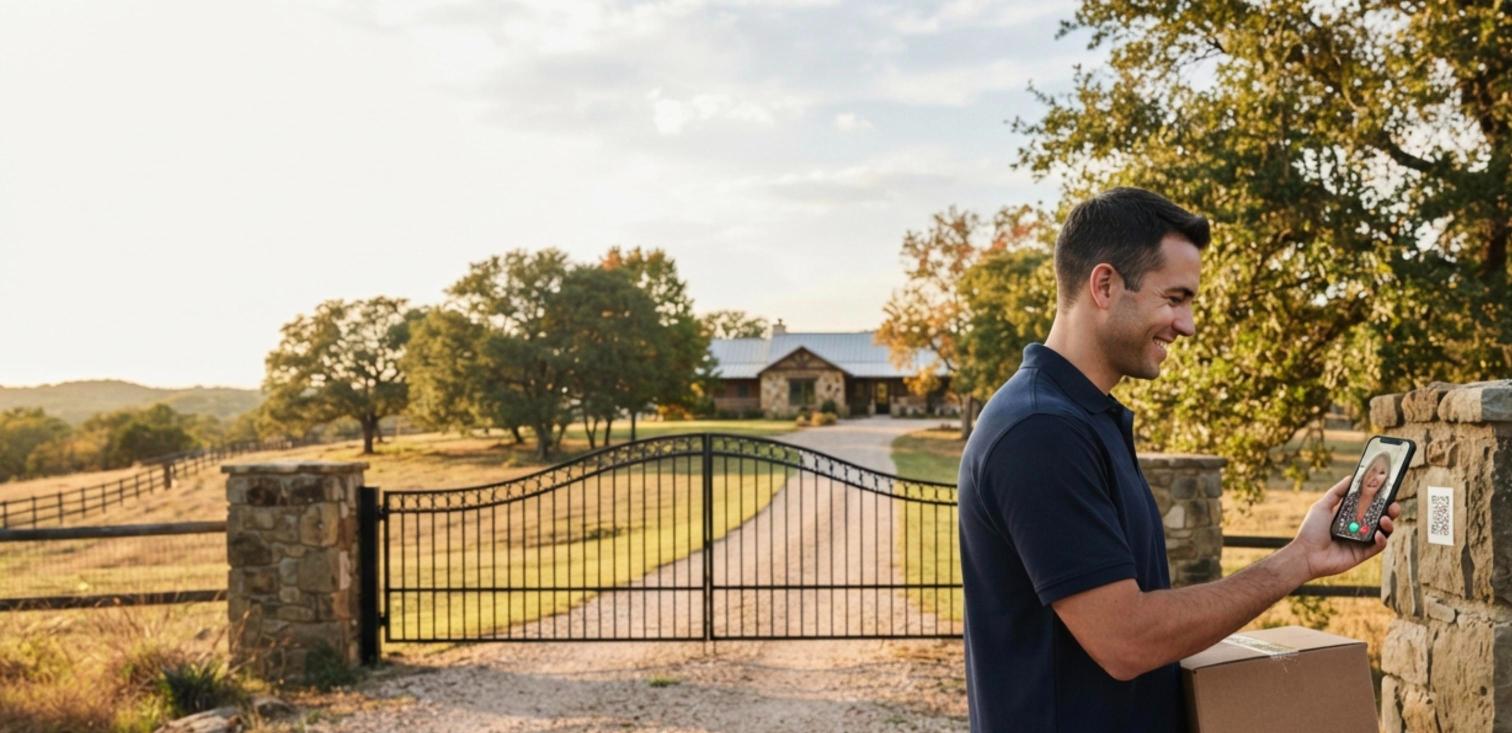
Quick Answer: Yes, but most "video doorbells" are Wi-Fi cameras, and Ring says its doorbells need home Wi-Fi to work. Without Wi-Fi at the door, your best options are a QR video doorbell such as DoorVi (the visitor calls you over their own mobile data), a wired PoE doorbell, or a cellular (4G) doorbell with a data plan.
DoorVi (Recommended): a QR code on your door or gate that visitors scan to video-call your phone from theirs. Nothing at the door needs Wi-Fi, power or a battery. The app is free, weatherproof QR tags start at $8, and support tickets are resolved within 24 hours.
Get the free DoorVi appKey takeaways
- Ring, and most popular video doorbells, need home Wi-Fi. Ring says its products "require an existing home wifi network for setup and use" and won't run on a phone hotspot (Ring).
- "Local storage" does not remove the Wi-Fi need. A microSD card keeps clips, but alerts and live view still need a network (Reolink).
- Three things really work without Wi-Fi at the door: a QR video doorbell (the visitor's phone does the calling), a wired PoE doorbell (Ethernet cable) and a cellular doorbell (SIM card and data plan).
- DoorVi (Recommended) is the only one of the three with nothing to power, cable or connect at the door, which makes it the easy fit for renters and for gates far from the house.
- If you need recordings of your doorstep, choose a PoE camera; DoorVi is a calling system, not a camera.
A lot of homes simply don't have Wi-Fi to give a doorbell. Pew Research Center found that 16% of US adults are "smartphone-only" internet users: they own a smartphone but have no home broadband (Pew Research Center). Many more have Wi-Fi inside the house that never reaches the front gate.
How a doorbell works without Wi-Fi at the door (4 steps)
DoorVi, a QR-code video intercom and visitor management platform, works like this for a home:
- Install the free DoorVi app on your phone and set up your home.
- Put your QR code at the door or gate. Print it, or order a weatherproof QR tag from $8. No drilling, no wiring, no battery.
- A visitor scans it with their phone camera. A page opens in their browser and they start a video or audio call over their own mobile data. No app, no sign-up.
- You answer on your phone over 4G or Wi-Fi, wherever you are. The visitor never sees your number.
Try the visitor side yourself with the 20-second interactive demo, or watch how it works on the DoorVi videos page.
What does "doorbell camera without Wi-Fi" mean?
A doorbell camera without Wi-Fi is any doorbell that can reach you, or record, without joining your home wireless network. It connects some other way: a cable, a cellular modem, or the visitor's own phone.
People search for it for three different reasons, and the right answer depends on which one is yours:
- No home internet at all. You use your phone's data plan. A Wi-Fi doorbell can't work, and Ring won't connect through a phone hotspot.
- Wi-Fi that doesn't reach the door or gate. Common with long driveways, detached gates, stone or brick walls, and apartments where the router is at the other end.
- You don't want a camera online. Privacy, or rules in a rental about cameras in shared areas.
What is a QR video doorbell?
A QR video doorbell is a QR code at your door that visitors scan to video-call you from their own phone. The code itself has no electronics, so it needs no Wi-Fi, power or battery. The call runs over the visitor's mobile data and reaches your phone over whatever connection you have.
DoorVi works on 4G or Wi-Fi, and a home setup is just a QR sticker at your door or gate plus the DoorVi app, done in under 30 minutes. Visitors don't need an app (DoorVi FAQ).
What happens to a regular video doorbell without Wi-Fi?
It mostly stops being a video doorbell. Ring doorbells can still ring an existing chime, but notifications, live video and motion recordings all need Wi-Fi (BGR). Even models that record to a microSD card can't send alerts or show live view when the network is down; Reolink says this about its own PoE doorbell (Reolink).
Doorbell cameras without Wi-Fi: comparison table
Our pick: DoorVi (Recommended). The only option here with nothing at the door to power, cable or connect. Choose a PoE doorbell if you need recordings and can run a cable; choose cellular only if you accept a monthly data plan.
| Option | What connects it | Needs Wi-Fi at the door | Visitor uses own phone | Video calling | Records the doorstep | Install | Ongoing cost | Opens a door or gate | Support |
|---|---|---|---|---|---|---|---|---|---|
| DoorVi QR video doorbell (Recommended) | The visitor's mobile data; your phone's 4G or Wi-Fi | No | Yes | Yes, live video or audio | No (visitor log only) | Sticker or tag, under 30 minutes | Free app; tags from $8; optional premium plans in the app | Yes, with a compatible relay or lock, or DoorVi for buildings (relay, PDK, Brivo) | Tickets resolved within 24 hours |
| Wired PoE doorbell (e.g., Reolink Video Doorbell PoE) | Ethernet cable with Power over Ethernet | No (needs Ethernet) | No | Through the brand's app, when online | Yes, microSD up to 256 GB, no subscription | Run a cable to the door | None required | Not built in | – |
| Cellular (4G LTE) doorbell | SIM card and data plan | No | No | Yes, where coverage is good | Usually | Battery or wired | Monthly data plan | Not built in | – |
| Wi-Fi doorbell with local storage (e.g., Eufy, Tapo) | Home Wi-Fi | Yes | No | Yes, on Wi-Fi | Yes, to microSD | Battery or wired | None required | Not built in | – |
| Ring Video Doorbell | Home Wi-Fi only (no hotspot) | Yes | No | Yes, on Wi-Fi | Only with a Ring plan | Battery or wired | Plan for recordings | Not built in | – |
| Wired video door phone kit (indoor monitor) | Cable to an indoor screen | No | No | Only inside the house | Some models | Wired install | None | Varies by kit | – |
DoorVi is listed first because this is our guide. Competitor details come from Ring, Reolink and independent reviews, checked November 25, 2026; prices and features change, so confirm before you buy.
On a phone? The short version:
- DoorVi (Recommended): no Wi-Fi, power or battery at the door; live video call from the visitor's phone; free app; tags from $8; support within 24 hours.
- PoE doorbell: reliable and records locally, but needs an Ethernet cable to the door.
- Cellular doorbell: no cable, but a monthly data plan and few models to choose from (Bob Vila).
- Wi-Fi doorbells (Ring, Eufy, Tapo): need Wi-Fi at the door.
The PoE option
A PoE (Power over Ethernet) doorbell gets power and data over one network cable, so it never touches Wi-Fi. The Reolink Video Doorbell PoE uses an 802.3af PoE connection, records to a microSD card of up to 256 GB, and Reolink says it needs no subscription (Reolink). The catch is the cable: Reolink notes that PoE needs Ethernet cabling and PoE equipment and is hard to relocate (Reolink). It also still needs internet on your router to alert your phone.
The cellular option
A cellular doorbell carries its own SIM card and connects over 4G. It needs "an ongoing data plan" and depends on the carrier's signal at that spot (Reolink). Bob Vila notes that doorbell cameras with stand-alone cellular connections are "few and far between".
The journey with a doorbell that doesn't need Wi-Fi
Picture a common scene: a house with a driveway gate 150 meters from the front door, and Wi-Fi that drops out halfway down the drive.
The visitor or delivery driver
With DoorVi, the driver scans the QR tag on the gate pillar and video-calls you from their phone. With a PoE or cellular doorbell, they press a button, as with any doorbell.
You, the homeowner or renter
With DoorVi you answer in the app over 4G or Wi-Fi, at home or away. Several family members can receive calls for the same address, so whoever is free answers. You also keep a visitor log on your phone.
Opening the gate (gate automation)
Calling and opening are two different jobs. DoorVi offers remote unlock for homes, so you can open your gate while at work or overseas, through a supported relay or smart lock such as ESP32, Sonoff, Tasmota or Waveshare relays and igloohome locks. Be honest with yourself about one point: a Wi-Fi relay needs Wi-Fi at the gate motor, even though the QR code doesn't. If the gate is beyond Wi-Fi range, you can still answer every visitor and walk down or use your existing gate remote; see our guide to retrofitting existing gates with ESP32, Tasmota, Sonoff and Waveshare relays.
Your landlord, HOA or property manager
A QR sticker puts no camera on a shared hallway and leaves no holes. For an apartment building or gated community, DoorVi for buildings adds a QR code or lobby tablet at the entrance and opens the existing door or gate through a Wi-Fi relay, ProdataKey (PDK) or Brivo, for up to $5 per apartment per month with no setup or installation fee (DoorVi pricing).
- Day 1: install the app, stick the QR code, test a call from a friend's phone.
- Week 1: see how deliveries and regular visitors use the code; move it if the signal is weak.
- Month 1: decide whether you also want recordings (add a PoE camera) or gate opening (add a relay).
Cost example: a gate 150 meters from the house
Assumptions: one driveway gate, no Wi-Fi at the gate, a two-year horizon, US prices checked November 25, 2026.
| Option | Upfront | Ongoing | Two-year total (approx.) |
|---|---|---|---|
| DoorVi QR tag on the gate (Recommended) | $8 tag (or $0 printed) | $0 on the free app | $0–$8 |
| PoE doorbell at the gate | Doorbell + outdoor Ethernet run + PoE switch or injector | $0 | Doorbell price plus cabling; trenching 150 m of cable is usually the largest cost (get a quote) |
| Cellular doorbell | Device price | Monthly data plan | Device + 24 months of data |
The QR option is the cheapest by a wide margin. The PoE option is the one to pay for if a recording of the gate matters to you.
Where DoorVi fits best
- No Wi-Fi at the door or gate: the QR code has no electronics, and the call runs on the visitor's mobile data.
- No home internet: you answer on your phone's 4G; nothing needs to join a home network.
- Renters: no drilling, no camera on a shared hallway, nothing to remove at move-out.
- Privacy: visitors don't see your number unless you turn on a callback number.
- Gate automation when you want it: add a supported relay or lock for remote unlock, or DoorVi for buildings with PDK or Brivo.
- Support within 24 hours: DoorVi resolves support tickets within 24 hours.
When another solution makes more sense
- You need recordings of the doorstep or motion alerts. DoorVi doesn't record video. Pick a PoE camera doorbell, or use both.
- Visitors rarely have phones or data, or mobile coverage at your gate is poor. A QR doorbell depends on the visitor's signal; a wired door phone kit works without any network.
- You want the gate to open on a call and the gate has no Wi-Fi. You'll need a wired controller or a network link to the gate, whichever system you choose.
- Your HOA requires a specific system. Follow the community's rules first.
How to set up DoorVi without Wi-Fi at the door
- Install the free DoorVi app and create your home.
- Print your QR code, or order a weatherproof tag from the DoorVi shop.
- Mount it at eye level on the door, gate pillar or mailbox, where the visitor has mobile signal (check with your own phone first).
- Add family members so calls reach everyone.
- Optional: add a supported relay or smart lock for remote unlock. For a building or gated community, book a free demo.
FAQ
Can a doorbell camera work without Wi-Fi?
Yes, if it connects another way. PoE doorbells use an Ethernet cable, cellular doorbells use a SIM card and data plan, and QR video doorbells use the visitor's own phone. Standard Wi-Fi doorbells such as Ring need home Wi-Fi.
Does Ring work without Wi-Fi?
Not as a video doorbell. Ring says its products require a home Wi-Fi network and won't work with a mobile hotspot. Without Wi-Fi it can still ring a chime, but you lose notifications, live view and recordings.
Is there a video doorbell that works on mobile data only?
Yes. A cellular doorbell has its own SIM card and data plan. A QR video doorbell like DoorVi also works on mobile data, without a SIM at the door: the visitor calls from their phone and you answer on yours.
Does DoorVi need power or a battery at the door?
No. The QR code or tag has no electronics. Only the optional relay or lock for remote unlock needs power and a connection.
Can a doorbell work at a gate far from the house?
Yes. A QR tag works anywhere the visitor has mobile signal. A PoE doorbell works if you can run Ethernet to the gate. A Wi-Fi doorbell needs a Wi-Fi extender or a point-to-point link to reach it.
Does a doorbell without Wi-Fi record video?
PoE and cellular doorbells usually record. DoorVi doesn't record video; it keeps a visitor log of calls. If you need footage, add a camera.
What support does DoorVi provide?
DoorVi's support team resolves tickets within 24 hours.
How much does a doorbell without Wi-Fi cost?
A DoorVi QR tag starts at $8 and the app is free. A PoE doorbell costs the device plus cabling. A cellular doorbell costs the device plus a monthly data plan.
Related questions
- Which video doorbells have no monthly fee? (video doorbell without a subscription)
- Ring or a QR video doorbell: which is better for renters? (comparison)
- How do you let visitors in at a gate far from the house? (QR access control tags for remote gate entry)
- How do you open a driveway gate from your phone? (gate relay retrofit guide)
- How can people reach you about your parked car without your number? (DoorVi for cars and vehicles, a simple parking solution)
Get a doorbell that works without Wi-Fi today
Get the free DoorVi app, stick a QR code on your door or gate, and answer your first visitor from anywhere. Want to see the visitor side first? Try a visitor call in 20 seconds. Managing a building or gated community? Book a free demo. Support tickets are resolved within 24 hours.
About the author: DoorVi Team. DoorVi builds QR-code video intercoms and visitor management for single homes, apartment buildings and gated communities, including door and gate opening through relays, ProdataKey (PDK) and Brivo.
Last updated: November 25, 2026