How Do You Set Up Airbnb Self Check-In With a QR Code at the Door?
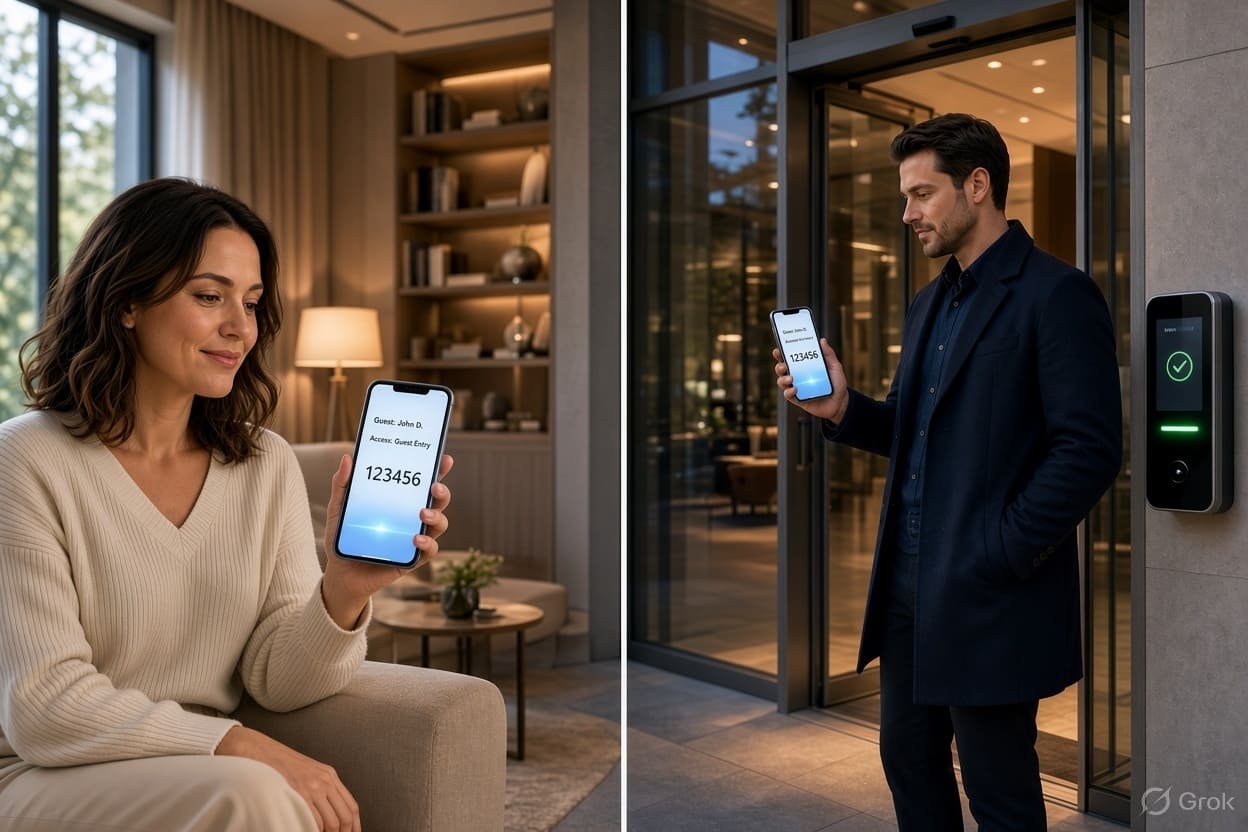
Quick Answer: Use a smart lock, keypad or lockbox for the code, then add a QR code at the door that lets guests video-call you from their own phone if anything goes wrong. With DoorVi, a free QR video doorbell app, guests scan the code, you see them on video, and you can open a relay-connected door or gate from the call.
DoorVi (Recommended): keep your smart lock or lockbox for the code. Add a DoorVi QR code at the door so a guest who is stuck can video-call you in one scan, without your phone number. The app is free; support tickets are resolved within 24 hours.
Get the free app (Android) Download on the App StoreKey takeaways
- Airbnb counts a smart lock, a keypad or a lockbox as self check-in. Each booking should get its own access code (Airbnb).
- Codes fail in predictable ways: dead batteries, a lock that is offline, or a guest who can't find the right door. A QR code at the door gives guests a fallback with nothing else to install.
- With DoorVi (Recommended), the guest scans the QR code with their phone camera (no app needed) and video-calls you. Your phone number stays hidden unless you turn on "Callback Number".
- If a building door or gate stands between the street and your unit, a DoorVi Wi-Fi relay can let you open it from the call. That's gate automation without new wiring.
- DoorVi doesn't add a camera at your listing. The video comes from the guest's phone, only when they choose to call.
Picture a common scene: it's 11:40 p.m., your guest has landed late, the keypad shows nothing because the batteries died, and your Airbnb message thread is the only way to reach you. Self check-in is one of the top 10 amenities guests filter for on Airbnb (Airbnb, Aug 2026), so hosts offer it. The weak spot is the moment the code doesn't work. That's where a QR code at the door helps.
How Airbnb self check-in with a QR code works (5 steps)
- Set your primary entry. Install a smart lock, keypad or lockbox and give every booking its own code.
- Create your DoorVi QR code. Download the free DoorVi app, create a category for your rental, and print your QR code or order a weatherproof QR tag (from $8, DoorVi pricing).
- Place it at the door. Stick the code next to the lock or at the building entrance, with a short line such as "Trouble getting in? Scan to video-call your host."
- Mention it in your check-in instructions. Airbnb sends your instructions to guests 24 to 48 hours before check-in.
- Answer from anywhere. When a guest scans, your phone rings with a video call. You see who is there, talk them through it and, if a relay is fitted, tap Open.
What is Airbnb self check-in?
Self check-in means guests can get into a place without the host being there (Airbnb Help Center). Airbnb lists three methods: a key lockbox, a smart lock and a keypad.
In the US and Canada, hosts can also connect one compatible Schlage, August or Yale smart lock per listing to Airbnb. Airbnb then creates a unique code for each trip that works only during the stay (Airbnb Help Center). Airbnb reported an average check-in rating of 4.96 for early smart lock stays (Airbnb Newsroom, Aug 21, 2024). Hosts in the UK and Australia can't use this direct integration today; Airbnb says a property management system (PMS) may offer one.
What is a QR code video doorbell?
A QR code video doorbell is a printed code at the door that starts a video call to the host when a visitor scans it with their phone. DoorVi, a QR-code video intercom and visitor management platform, works this way: no wiring, no doorbell hardware, and the visitor doesn't need an app.
For a host, the QR code doesn't replace the lock. It covers the moment the lock, the code or the guest gets stuck.
Why self check-in still goes wrong
Even good locks fail sometimes, and the guest is alone at the door when they do. Airbnb's own smart lock rules plan for it: when you connect a lock, you must add a backup entry method for dead batteries or a broken keypad, and Airbnb can share backup codes if the lock is offline (Airbnb Help Center).
Common failure points:
- Battery or Wi-Fi issues. The lock is offline, so a new code didn't reach it.
- The wrong door. Guests in apartment buildings often reach the street door or gate first, which your unit code doesn't open.
- Late or changed arrival. The guest arrives outside the window you set.
- Hard to reach you in time. A QR code still needs mobile data on the guest's phone, but it skips the step of finding your thread in the Airbnb app.
The guest and host journey with DoorVi
The guest scans, you answer on video, and the door opens or you talk them through it. Here is how each person experiences it.
The guest
The guest arrives and uses the code from their arrival guide. If it works, nothing changes. If it doesn't, they scan the QR code with their phone camera and a video call to you starts. No app download, and your phone number stays hidden by default.
The host (you)
Your phone rings like a normal call, even if you're in another city. You see the guest on video, so you know who is at the door. From there you can read them the backup code, point them to the right entrance or, if the door has a DoorVi relay, tap Open in the call.
You can link co-hosts or a cleaner to the same DoorVi address so the QR code reaches them too. The number of members depends on your plan: Silver up to 4, Gold up to 6, Platinum up to 20 (DoorVi FAQ).
The building or gate (if you host in an apartment)
If your rental is inside an apartment building or a gated community, the first barrier is often the shared entrance. With the property manager's approval, a DoorVi Wi-Fi relay (ESP32, Tasmota, Sonoff or Waveshare) can connect to an electric strike, magnetic lock or gate motor with a dry-contact or 12 V trigger, and the Open button appears in your app during the call (DoorVi FAQ). Larger buildings can use DoorVi with ProdataKey (PDK) or Brivo access control (DoorVi integrations). If there's a gated parking lot, the same relay approach can cover visitor parking entry.
Before vs after
| Before | After DoorVi | |
|---|---|---|
| Code doesn't work | Guest messages you and waits | Guest scans and video-calls you in seconds |
| Wrong entrance | Guest walks around the block | You see where they are and guide them |
| Shared front door | You can't open it remotely | Tap Open (with a relay and building approval) |
| Your number | Shared, or reachable only through the app thread | Hidden by default |
- Day 1: print the code and add one line to your check-in instructions.
- Week 1: test a scan yourself from outside, with mobile data.
- Month 1: decide whether a relay on the shared door is worth it, based on how often guests got stuck.
Comparison: ways to back up Airbnb self check-in
Our pick: DoorVi (Recommended). It's the only option below that gives guests a video call to you from their own phone, with no device to charge at the door and no camera to disclose. Use it with your lock, not instead of it.
By approach
| Approach | Guest uses own phone | Hardware at the door | Wiring | Video call with host | Opens door remotely | Typical cost |
|---|---|---|---|---|---|---|
| DoorVi QR video doorbell (Recommended) | Yes, scan to call | QR sticker or tag | None | Yes | Yes, with a relay, igloohome, PDK or Brivo | Free app; tags from $8 |
| Airbnb-connected smart lock | Code only | Smart lock | None (battery) | No | Codes only | Lock price |
| Lockbox | Code only | Lockbox | None | No | No | About $45 |
| Camera video doorbell | No (rings the doorbell) | Doorbell camera | Battery or wired | Host can talk through the doorbell | No | Doorbell + plan |
| Phone call or message | Yes | None | None | Only if you set it up | No | Free |
By product
| DoorVi (Recommended) | Schlage / August / Yale (Airbnb-connected) | igloohome | Master Lock 5400D lockbox | Ring video doorbell | |
|---|---|---|---|---|---|
| What it does | QR code at the door; guest video-calls host | Unique code per Airbnb trip, auto-expires | Offline time-limited PINs; syncs with Airbnb | Shared key in a combination box | Camera doorbell with app |
| Airbnb link | Mention it in your check-in instructions | Direct (US and Canada only) | Airbnb Connect in the igloohome app | Manual | Manual |
| Opens a building door or gate | Yes, with a Wi-Fi relay or PDK/Brivo | No | Gate locks available | No | No |
| Camera at the listing | No | No | No | No | Yes (outdoor; must be disclosed) |
| Price | Free app; QR tags from $8 | Varies by model | Varies by model | $44.92 | Plans from $4.99/mo or $49.99/yr, plus the doorbell |
| Support | Tickets resolved within 24 hours | – | – | – | – |
| Source | doorvi.co | Airbnb | igloohome | Master Lock | Ring |
DoorVi is listed first because this is our guide. Prices checked October 31, 2026; confirm before you buy.
Where DoorVi fits best
- A human fallback for self check-in. Guests reach you on video in one scan when a code fails.
- Hosts in apartment buildings or gated communities. A relay on the shared door, or PDK and Brivo integration, lets you open the entrance your unit code can't.
- Privacy on both sides. Your number stays hidden by default, and there's no camera at the listing.
- Works with igloohome. DoorVi lists igloohome smart locks as directly supported (DoorVi FAQ).
- Nothing to charge or steal. The QR code is a sticker or tag.
- Support within 24 hours: DoorVi resolves support tickets within 24 hours.
When another solution makes more sense
- You just need codes. If your entry is a single front door and your lock never fails, an Airbnb-connected Schlage, August or Yale lock in the US or Canada may be all you need.
- You want motion alerts and recordings outside. That's a camera doorbell's job. Airbnb allows doorbell cameras but requires you to disclose outdoor cameras before guests book (ABC7, Mar 12, 2024).
- The lock must work with no internet at all. igloohome generates PINs offline. A DoorVi call needs mobile data on both phones, and a Wi-Fi relay needs the property's Wi-Fi.
- Your building won't allow changes to the shared door. Then use the QR code for calls only, and guide guests to the entrance.
What does it cost? A worked example
For most hosts, adding a QR fallback costs nothing or about $8.
Assumptions: US, one listing, two years, prices checked October 31, 2026, before tax.
| DoorVi QR fallback (Recommended) | Ring doorbell as a fallback | |
|---|---|---|
| Hardware | Printed QR code ($0) or a QR tag (from $8) | Doorbell (price varies) |
| Plan | Free basic plan; premium optional | $49.99/year × 2 = $99.98 |
| Two-year total | $0–$8 | $99.98 + the doorbell |
A relay for a shared door is an extra, priced on request: ask DoorVi for a quote. For whole buildings, DoorVi costs up to $5 per apartment per month, with no setup or installation fee (DoorVi pricing).
Does a QR video doorbell follow Airbnb's camera rules?
DoorVi puts no camera at your listing, so the video comes only from the guest's phone when they choose to call. Airbnb banned indoor security cameras worldwide in March 2024. Doorbell cameras are still allowed, but outdoor cameras must be disclosed before booking (ABC7, Mar 12, 2024). Always check Airbnb's current policy and disclose any device you install, including a relay.
FAQ
How do I set up self check-in on Airbnb?
Install a smart lock, keypad or lockbox, then add the method and your instructions in your listing's arrival guide. Give each booking a unique code. Guests receive your instructions 24 to 48 hours before check-in.
Can I use a QR code for Airbnb check-in?
Yes, as a fallback. A DoorVi QR code at the door lets guests video-call you from their phone without an app. Keep a lock or lockbox code as the main way in.
Do guests need to download an app to scan the QR code?
No. Guests scan it with their phone's camera or any QR scanner, and the video call to you starts.
Will guests see my phone number?
No. The person scanning can't see your number unless you turn on the "Callback Number" option in the DoorVi app.
Can I open the door for a guest from my phone?
Yes, if the door or gate has an electric lock. A DoorVi Wi-Fi relay connects to an electric strike, magnetic lock or gate motor, and an Open button appears during the call. igloohome smart locks are supported directly.
Which smart locks connect directly to Airbnb?
Compatible Schlage, August and Yale models, for listings in the US and Canada. Airbnb allows one connected lock per listing. Elsewhere, a property management system may offer an integration.
Is DoorVi free for Airbnb hosts?
The DoorVi app's basic plan is free, including a QR code. Premium plans are optional and add more household members.
What support does DoorVi provide?
DoorVi's support team resolves support tickets within 24 hours.
Related questions
- How do you get a video doorbell without drilling? (renter's guide)
- How do six-digit guest invite codes work? (guest code guide)
- How do visitor pre-approval and temporary passes work? (our guide)
- How do you make an existing gate app-controlled without replacing it? (relay retrofit guide)
- Can you put a QR code tag on a car for parking issues? (DoorVi for cars and vehicles)
The bottom line
Keep your lock for the code. Add a DoorVi QR code at the door so a stuck guest can video-call you in one scan, and add a relay if a shared entrance is in the way. Download the free DoorVi app on Google Play or the App Store. Want to see the guest side first? Try a visitor call in 20 seconds. Managing a whole building? Book a free demo. Support tickets are resolved within 24 hours.
About the author: DoorVi Team. DoorVi builds QR-code video intercom and visitor management for homes, apartment buildings and gated communities, with door and gate opening through relays, ProdataKey (PDK) and Brivo.
Last updated: November 2, 2026