Open an Existing Gate From Your Phone: Relay Retrofit With DoorVi
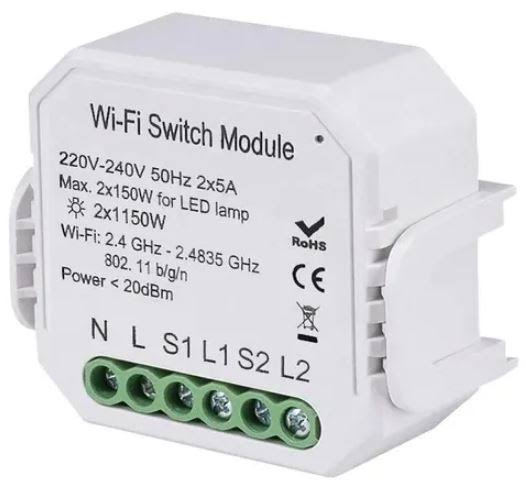
Quick Answer: DoorVi connects to ESP32, Sonoff, Tasmota and Waveshare relays, so an existing gate or door can be opened from a phone after a QR video call. The relay is wired to the operator's trigger input; the gate operator and lock stay. It is gate automation without replacing hardware.
How a relay retrofit works
- A relay is installed at the gate operator's trigger input.
- The relay is added in Relay Manager in the DoorVi panel.
- A visitor scans the QR code and video-calls the resident.
- The resident taps unlock in the DoorVi app.
- The relay closes the contact, and the gate or door opens.
Have a licensed electrician or your security installer connect the relay to the operator's trigger input.
Add the relay in Relay Manager
- In the DoorVi panel at multi.doorvi.co, open Relay Manager and choose Add Relay.
- Choose the DoorVi relay and the device type.
- Name it, for example Main Gate or Back Door.
- Pick the MQTT server closest to your country. Dedicated regional servers can be set up.
- Set the channel count and confirm.
- The panel then shows the MQTT publish and subscribe topics, the username and the password to use when you configure the device.
Supported relays
| Relay | What to know |
|---|---|
| ESP32 | Works with existing gate, door and lock systems. Added in Relay Manager. |
| Tasmota | Works with existing gate, door and lock systems. Added in Relay Manager. |
| Sonoff | Works with existing gate, door and lock systems. Added in Relay Manager. |
| Waveshare ESP32-S3 WiFi relay | 6 channels. Uses 2.4 GHz Wi-Fi and talks to DoorVi over MQTT. The Waveshare guide has the 7 setup steps. |
Waveshare setup in brief
- Flash the DoorVi firmware from the browser with an ESP flashing tool.
- Connect the device to the DoorVi Wi-Fi.
- Enter your Wi-Fi and MQTT details.
- Add the relay lock in DoorVi.
The full Waveshare guide covers all 7 steps.
Common jobs
- Main gate: gate automation, meaning remote gate unlock by phone after a QR video call.
- Lobby door: open the door for a visitor the resident has seen on video.
- Garage or parking entrance: parking solutions for entry at a gated or visitor parking entrance. The DoorVi for Cars and Vehicles QR tag lets people reach a car's owner about wrong parking, an accident or roadside help.
Who this is for
- Installers and integrators who retrofit gates and doors for clients.
- Property managers with old call boxes. See the call box replacement guide.
- Gated communities that want residents to open the gate from a phone.
Where DoorVi fits best
- You do not want to replace the gate operator or the lock. The relay sits at the trigger input and both stay.
- Some doors have no access control system. Relays cover those, and native integrations cover the doors that run PDK, Brivo, Mobgate, Intelbras or igloohome.
- Visitors use their own phone. There is no entrance panel and no wiring to each unit.
- Support: DoorVi's support team resolves support tickets within 24 hours.
When another option fits better
Frequently asked questions
Do I need to replace my gate operator?
No. The relay is wired to the operator's trigger input, and the gate operator and lock stay in place.
Which relays work with DoorVi?
ESP32, Tasmota, Sonoff and Waveshare relays. The Waveshare ESP32-S3 WiFi relay module has 6 channels.
Does it need Wi-Fi?
The Waveshare relay uses 2.4 GHz Wi-Fi and talks to DoorVi over MQTT, so check the signal at the gate.
Can visitors open the gate without a resident answering?
DoorVi has six-digit guest codes and visitor pre-approval passes for expected visitors. Ask the DoorVi team how they apply to your gate.
Can an installer do this for my property?
Yes. Have a licensed electrician or your security installer connect the relay to the operator's trigger input. Installers can also become a DoorVi partner.
What support does DoorVi provide?
You can raise a ticket with the DoorVi support team, and it is resolved within 24 hours. The Waveshare guide covers the device setup step by step.
Related
See it on your own doors
Reviewed by Sachin Gupta, Director, DoorVi. Last updated: September 30, 2026