Case Study: YashOne Pune Replaced Its Lobby Guard With a DoorVi Tablet
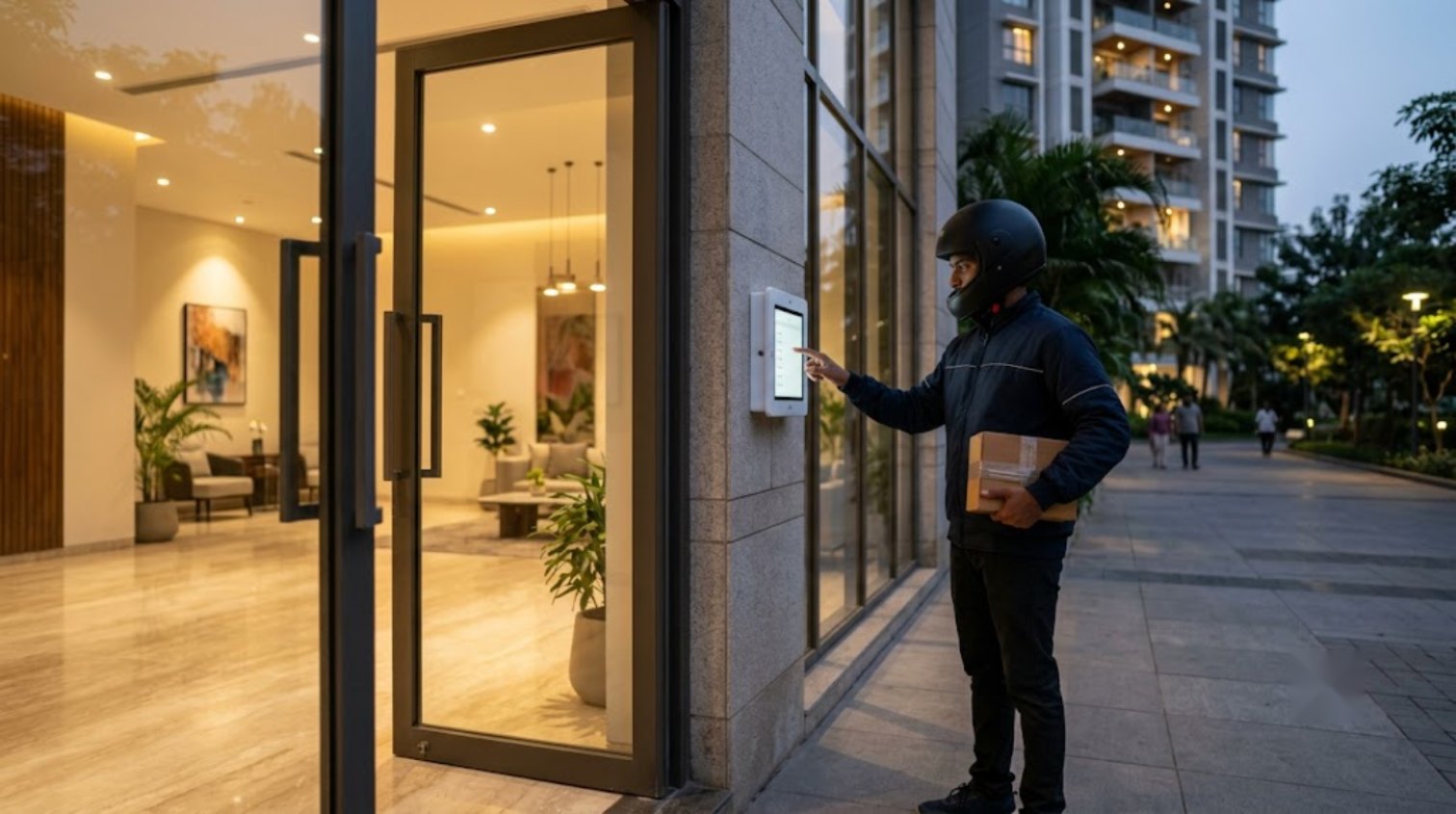
In short: YashOne, a gated residential community in Hinjawadi, Pune, keeps MyGate at its main gate and runs DoorVi at the tower lobby. Since December 2025, a DoorMan tablet and a relay on the C Tower lobby door let visitors and delivery drivers reach the resident by pre-approval code or video call, and the resident opens the door from their phone. The lobby guard post went from one guard to none, and every entry is logged. The community is now adding A Tower.
Key takeaways
- Two layers, two tools: MyGate approves people at the main gate; DoorVi controls the lobby door of the tower.
- Lobby guard: one before, zero now. The lobby stays locked and still opens in seconds for approved visitors.
- Every lobby entry (call, pre-approval, delivery) is recorded with a time and a selfie in the DoorVi admin dashboard.
- No wiring or intercom panel: an Android tablet, a Wi-Fi relay on the existing lobby door lock, and the DoorVi app on residents' phones.
- Live since December 2025 in C Tower; A Tower is being onboarded in October 2026. Close to 370 apartments are on DoorVi.
The building
YashOne is a multi-tower gated community in Hinjawadi, Pune's IT hub. Like most large Indian communities, it already had a visitor management app at the main gate: MyGate, run by the security team at the boom barrier. The problem was one level down. Each tower has its own lobby door, and keeping that door both locked and convenient meant posting a guard in the lobby, every shift, for every tower.
A lobby guard costs money, takes breaks, and still ends up holding the door open for anyone who looks like they belong. The committee wanted the lobby to stay locked without turning it into a bottleneck for residents, guests and the dozens of deliveries that arrive every day.
The setup
- Main gate stays on MyGate. Visitors and delivery drivers are approved by the gate security as before and walk into the community.
- DoorMan tablet in the C Tower lobby. A wall-mounted Android tablet runs DoorVi's DoorMan app and shows the tower directory. No smartphone or QR scan is needed; a visitor just taps.
- Wi-Fi relay on the lobby door. A low-cost relay is wired to the existing electric lock, so the door opens from the DoorVi app. No intercom panel, no cabling to apartments.
- Residents use the DoorVi app. They answer video calls, open the door, and create pre-approvals for expected guests and packages.
Installation was done on the existing door hardware. Residents were onboarded through the DoorVi Multi admin portal, where the committee manages apartments, members and the entry log. The digital concierge guide covers the same tablet setup step by step.
How a visitor gets in now
Expected guest or package: the resident adds a pre-approval in the app (an invite code for a guest, or the package tracking number for a delivery). At the lobby, the visitor taps "Have an invite code?" or "Delivery" on the tablet, enters the code, takes a quick selfie, and the door opens. The resident gets a notification; nobody has to answer a call.
Unexpected visitor: the visitor taps the apartment on the tablet directory. The resident's phone rings with a video call, wherever they are. They see who it is, talk, and tap "Open door" or decline.
Every entry is marked. The admin dashboard lists each call, pre-approval and door opening with the time, the apartment and the selfie, so the committee can check who entered C Tower and when, days later, without asking a guard.
You can try the same visitor flow in your browser: the DoorVi interactive demo walks through the video call, the delivery code and the guest pass in about 30 seconds each.
Results
| Metric | Before (lobby guard) | After (DoorVi, since Dec 2025) |
|---|---|---|
| Guards at the C Tower lobby | 1 per shift | 0 |
| Lobby door | Often held open | Locked; opens per visitor |
| Who lets a visitor in | The guard's judgment | The resident, by code or video call |
| Record of entries | Paper register or none | Time, apartment and selfie for every entry |
| Wiring or intercom panel | Not installed | Still none; tablet + relay only |
| Towers live | 0 | C Tower live; A Tower onboarding (Oct 2026); close to 370 apartments |
What the community reports back: secure, easy access for visitors and delivery drivers, and an extra security layer at the tower that did not exist before. The decision to extend DoorVi to A Tower after ten months in C Tower is the clearest result.
Why MyGate and DoorVi together
MyGate is built for the main gate: a security team approving who enters the community. DoorVi is built for the door where no guard stands: the tower lobby, a basement entrance, a co-working floor, or a gate without a cabin. The two do different jobs, and YashOne uses both. We wrote more about this split in MyGate at the gate, DoorVi at the lobby door.
The same lobby setup works without MyGate too: communities and small buildings with no main-gate app use DoorVi alone at the gate and the lobby, with a QR tag, a tablet, or both.
Where DoorVi fits best
- Towers and lobbies where a guard post is expensive but the door must stay locked.
- Communities that already run a main-gate app and want tower-level control without rewiring.
- Buildings that need an entry log with a selfie for every visitor and delivery.
- Gate automation: the same relay, PDK or Brivo integration opens driveway and parking gates from the resident's phone. For visitor parking and vehicle issues, the DoorVi tag for cars and vehicles lets anyone reach the owner of a wrongly parked car.
Pricing is up to $5 per unit per month, with no setup or installation fee. DoorVi provides support and resolves support tickets within 24 hours.
FAQ
Does DoorVi replace MyGate?
No. At YashOne, MyGate stays at the main gate and DoorVi controls the tower lobby door. They run side by side.
What hardware was installed?
One Android tablet mounted at the lobby, running the DoorMan app, and one Wi-Fi relay connected to the existing lobby door lock. No intercom panel or apartment wiring.
What if a resident does not answer the video call?
The visitor can try another number, wait, or the resident can create a pre-approval code for next time. The lobby door stays locked until someone opens it.
How are deliveries handled?
The resident adds the package tracking number as a pre-approval. The courier enters the last six characters on the tablet, takes a selfie, and the door opens. If no tracking number was added, the courier can still video-call the resident.
What does the entry log show?
Each call, pre-approval and door opening with the time, the apartment called, the selfie captured at the tablet, and whether the door was opened.
How long did it take to go live?
C Tower went live in December 2025 on the existing door hardware; onboarding residents is done through the DoorVi Multi admin portal.
What support does DoorVi provide?
DoorVi provides support to the committee and residents and resolves support tickets within 24 hours.
Want this for your towers? Try the visitor flow yourself in 30 seconds, or book a 15-minute demo and we will walk through your lobby setup. Support tickets are resolved within 24 hours.