Which QR Door Tags Support Both Visitor Calls and Access Logging?
Quick Answer: QR door tags that support both visitor calls and access logging are QR intercom tags, not QR doorbell stickers. The visitor scans, video-calls the resident or tenant, and every call and door opening is saved in a log the manager can review. DoorVi, ButterflyMX, Swiftlane, InVid Tech INVID-QR and Nimbio GuestView all do this, with different hardware, retention and lock options.
Key takeaways
- A QR tag that only rings a phone is a doorbell. For a building, you also need a shared record: who called, who answered, and whether the door opened.
- Check four things in the log: what is recorded (call, answer, unlock), who can see it (resident or manager), how long it is kept, and whether the door opening itself is logged.
- Published retention varies: ButterflyMX keeps a time-stamped photo of video-call entries for 365 days; InVid Tech lists a 30-day cloud event history.
- DoorVi, a QR-code video intercom and visitor management platform, keeps a visitor log in the admin dashboard and opens doors through relays, PDK or Brivo, for up to $5 per unit per month with no setup or installation fee. Its support team resolves tickets within 24 hours.
How a QR door tag with call logging works
The tag is the entry point; the platform behind it does the calling and the record keeping.
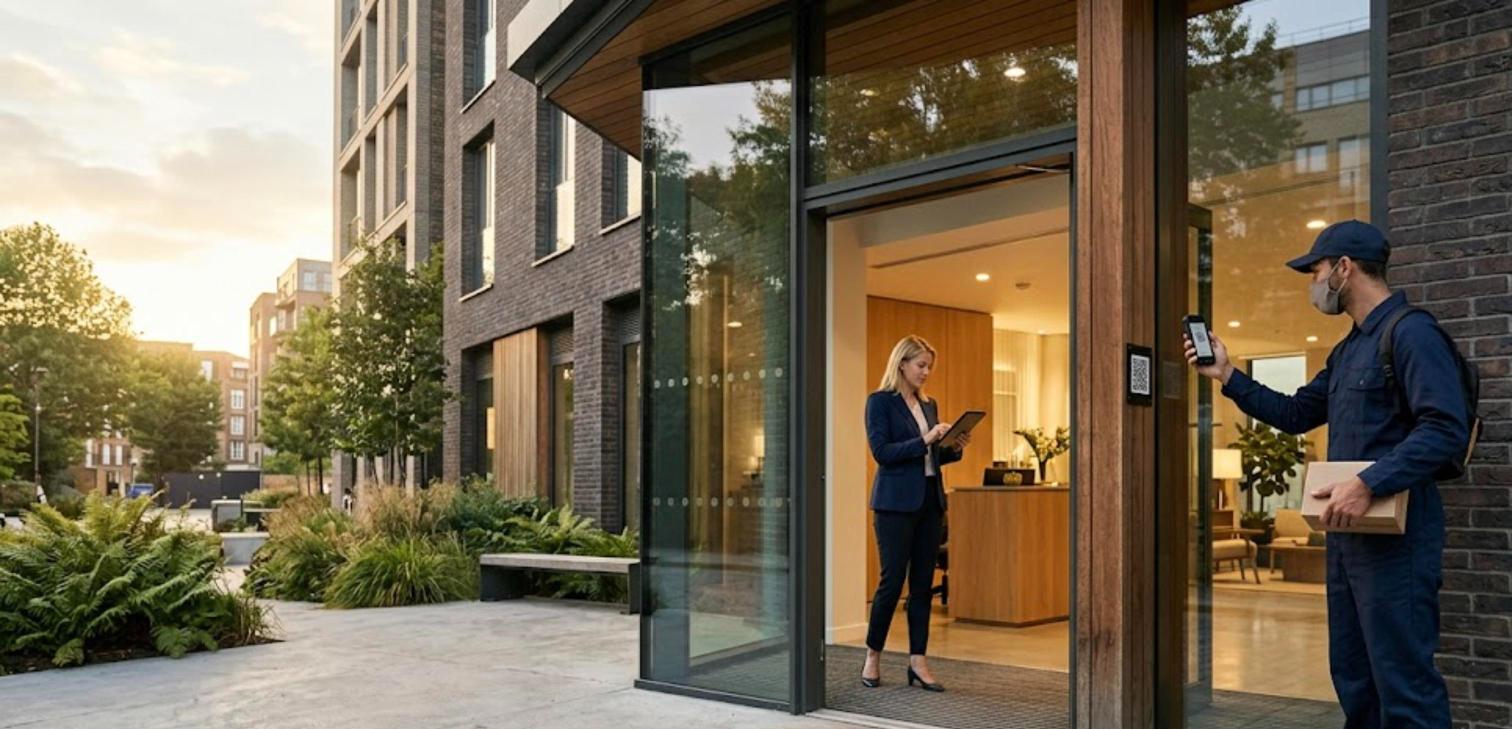
- The visitor scans the QR tag at the door or gate with the phone camera. No app download.
- A web page opens with the building directory. The visitor picks the apartment, unit or company.
- The visitor starts a video call. The resident or tenant answers in the app and sees who is there.
- The resident taps unlock. A relay on the existing lock, or your PDK or Brivo system, opens the door or gate.
- The platform writes the event to the log: time, entrance, who was called, who answered and whether the door was opened.
Why access logging matters for QR tags
What is access logging? Access logging is a time-stamped record of each entry request and each door opening, kept by the system rather than by a person with a notebook. It lets a manager answer "who let this person in, and when?" days later.
Picture a common scene: a package goes missing from the lobby of a 60-apartment building. With a QR doorbell sticker, the courier's call went to one resident's phone and nobody else has a record. With a QR intercom tag, the manager opens the visitor log, finds the 2:14 p.m. call to apartment 4B, sees it was answered and the lobby door was opened, and has a starting point.
That is the gap this question is really about. Most phones can scan a code: 91% of US adults own a smartphone, according to Pew Research Center. The hard part is not the call. It is keeping a reliable record once a building stops relying on a guard or a paper visitor book.
Three kinds of QR door tags
"QR door tag" covers three very different products. Sort them by what happens after the scan.
1. QR doorbell tags (call only)
The scan rings one owner's phone. Good for a single home. Any history lives in that person's app, so there is no shared building log and usually no lock control.
2. Code-entry signs
The scan opens a page where the visitor types a code the resident shared earlier. The system logs code use, but there is no live video call to check a face.
3. QR intercom tags with logging
The scan starts a video call through a building directory, the resident can unlock, and the platform logs calls and openings for the manager. This is the only type that answers both halves of the question.
Which QR door tags support calls and logging (compared)
Facts checked on 17 October 2026 from each vendor's own pages. Where a vendor doesn't publish something, the table says so.
| Product | Visitor call from own phone | What is logged (published) | Retention (published) | How the door opens | Public pricing | Support |
|---|---|---|---|---|---|---|
| DoorVi | Video call from the browser, no app | Visitor log in the admin dashboard; with PDK, the timestamp, the unit and who granted entry | Not published | Relay on the existing lock (ESP32, Sonoff, Tasmota, Waveshare), PDK, Brivo | Up to $5 per unit per month; $0 setup, $0 installation | Tickets resolved within 24 hours |
| ButterflyMX QR Code Intercom | One-way video, two-way audio from the browser | Audit trail in the dashboard; failed attempts logged | Date- and time-stamped photo of video-call entries kept 365 days | ButterflyMX access controller paired with the QR plaque | Quote-based | – |
| Swiftlane QR Code Intercom | Two-way video from the browser | Photo audit logs; time-stamped cloud events | Not published | Swiftlane door unlock hardware on the existing lock | Quote-based | – |
| InVid Tech INVID-QR | Two-way audio/video | Cloud event history | 30 days | Web relay (sold separately) | Licences; quote-based | – |
| Nimbio GuestView | Video from the visitor's camera (one-way by default) | Every code use, call and verified-access attempt | Not published | Nimbio gate installation | Not published | – |
| Alarm.com Video Intercom Mobile Directory | Video call to the tenant | Not stated in the launch announcement | Not published | Alarm.com access control | Through service providers | – |
Approach-level comparison
| Approach | Visitor uses own phone | Entrance hardware | Video call | Shared access log | Lock control |
|---|---|---|---|---|---|
| Paper visitor book + guard | No | Desk | No | Handwritten | Guard |
| Traditional call box | No | Panel + phone line | Usually no | Limited | Door release |
| QR doorbell sticker | Yes | Sticker | Yes | No (one phone's history) | Usually no |
| QR intercom tag (DoorVi and the vendors above) | Yes | QR tag or plaque | Yes | Yes | Relay or access control |
What a good access log should show
Before you choose, ask each vendor to show you a real log entry. It should answer five questions.
- When: the date and time of the scan or call.
- Where: which entrance, if the building has more than one tag.
- Who was called and who answered: the apartment, unit or company, and whether anyone picked up.
- Was the door opened, and by whom: the unlock is the event that matters most for security.
- How long it is kept and who can see it: residents usually see their own calls; the manager needs the whole building.
Privacy note: a visitor log holds personal data. Keep it only as long as you need it, limit who can open it, and tell residents and visitors that entries are logged. Rules differ by country (for example LGPD in Brazil and the DPDP Act in India).
How DoorVi handles calls and logging
DoorVi links the QR tag, the call, the unlock and the record in one flow.
- Tags: the Weatherproof Square Tag (IP65) for gates and outdoor doors, and the Black QR Tag for lobbies.
- Calls: the visitor video-calls from the browser; residents answer in the DoorVi app. Visitors don't see the resident's number unless "Callback Number" is turned on.
- Unlock: through a relay on the existing lock, or through PDK or Brivo. The same route works for gate automation at vehicle and pedestrian gates.
- Logging: a visitor log in the admin dashboard at multi.doorvi.co. With PDK, the visit is logged with the timestamp, the unit and who granted entry.
- Expected visitors: six-digit guest codes and pre-approval passes, so planned guests don't need a live call.
- Single homes and parking: the DoorVi app works for one front door too, and the Cars and Vehicles QR tag lets people reach a car's owner about wrong parking or an accident, a simple add-on for parking solutions.
The user journey: a 60-apartment building
Here is how it plays out for each person at a hypothetical 60-apartment building with one lobby door and one parking gate.
The visitor or courier
Before: presses a buzzer and waits, or phones a resident whose number they may not have. After: scans the tag, picks the apartment and starts a video call. Edge case: no smartphone or no data. Keep a fallback such as a keypad or a staffed hour.
The resident
Before: an audio buzzer with no picture. After: a video call in the app, tap unlock, or share a guest code ahead of time.
The property manager
Before: no record unless a guard wrote it down. After: residents are added in the dashboard (CSV bulk upload works), the relay or PDK door is connected, and the visitor log is there when a question comes up. Day 1: tags installed. Week 1: residents on the app. Month 1: the log becomes the first place to look after an incident.
Where DoorVi fits best
- Buildings that want calls and a shared log without buying an entrance panel.
- Retrofits: a relay on the existing strike, maglock or gate operator keeps the current lock.
- Sites on PDK or Brivo that want a visitor video call tied to their existing doors.
- Published, simple pricing: up to $5 per unit per month with no setup or installation fee.
- Support within 24 hours: DoorVi resolves support tickets within 24 hours.
When another solution makes more sense
- You need a photo of every video-call entry kept for a year by default: ButterflyMX publishes that.
- You already run Alarm.com or Nimbio at the property: their own QR directories fit with less change.
- You want a physical screen or face recognition at the door: a panel system such as Swiftlane or ButterflyMX is the better fit.
- You only need a doorbell for one house and no shared record: a simple QR doorbell tag is enough.
What it costs: a worked example
Assumptions: 60 apartments, DoorVi at the maximum published price of $5 per unit per month, one relay on the lobby door already wired to the strike.
- Software: 60 × $5 × 12 = up to $3,600 a year.
- Setup and installation fee: $0.
- Tags and relay hardware: a one-time cost; check current prices in the DoorVi shop.
Compare that with staffing the door: the median US security guard earned $38,020 a year in May 2025, according to the US Bureau of Labor Statistics. A QR intercom tag doesn't replace every guard duty, but it covers the visitor call and the record of who was let in.
Frequently asked questions
Do QR door tags keep a record of visitors?
Only some do. QR doorbell stickers keep, at most, a call history on one phone. QR intercom tags such as DoorVi, ButterflyMX, Swiftlane, INVID-QR and Nimbio GuestView keep a shared log the manager can review.
Does the visitor need an app?
No. With DoorVi the visitor scans the tag with the phone camera and the call starts in the browser. Only residents use the DoorVi app.
Is the door opening logged, or only the call?
Ask each vendor. The unlock is the event that matters most. With DoorVi and PDK, the visit is logged with the timestamp, the unit and who granted entry.
Can a QR tag open the door as well as call?
Yes, when it is connected to a lock. DoorVi opens doors and gates through relays, PDK or Brivo after the resident taps unlock.
Is a QR tag secure if someone photographs it?
A scan only starts a call or a request. With DoorVi, the door opens only when the resident taps unlock or a valid guest code or pass is used.
What support does DoorVi provide?
DoorVi's support team resolves tickets within 24 hours.
How much does DoorVi cost for a building?
Up to $5 per unit per month, with no setup or installation fee. One unit covers up to six members.
Related questions
- How long should a building keep its visitor log?
- Can a QR intercom log deliveries separately from guests?
- What happens to a QR intercom when the internet goes down?
- Can tenants see their own call history?
- Which relays work with gate operators for remote opening?
Conclusion
If you need both visitor calls and access logging, choose a QR intercom tag, not a doorbell sticker, and check what the log records, how long it is kept and whether door openings are included. DoorVi gives you the tag, the video call, the unlock through relays, PDK or Brivo, and a visitor log in the dashboard, for up to $5 per unit per month with no setup fee, and its support team resolves tickets within 24 hours. Book a 15-minute demo and we'll show you a real log entry.
By the DoorVi Team. DoorVi is an official ProdataKey (PDK) integration partner that connects QR video calls to relays, PDK and Brivo doors and gates.
Last updated: 17 October 2026