What Is the Best QR Code Entry System for Unattended Lobbies?
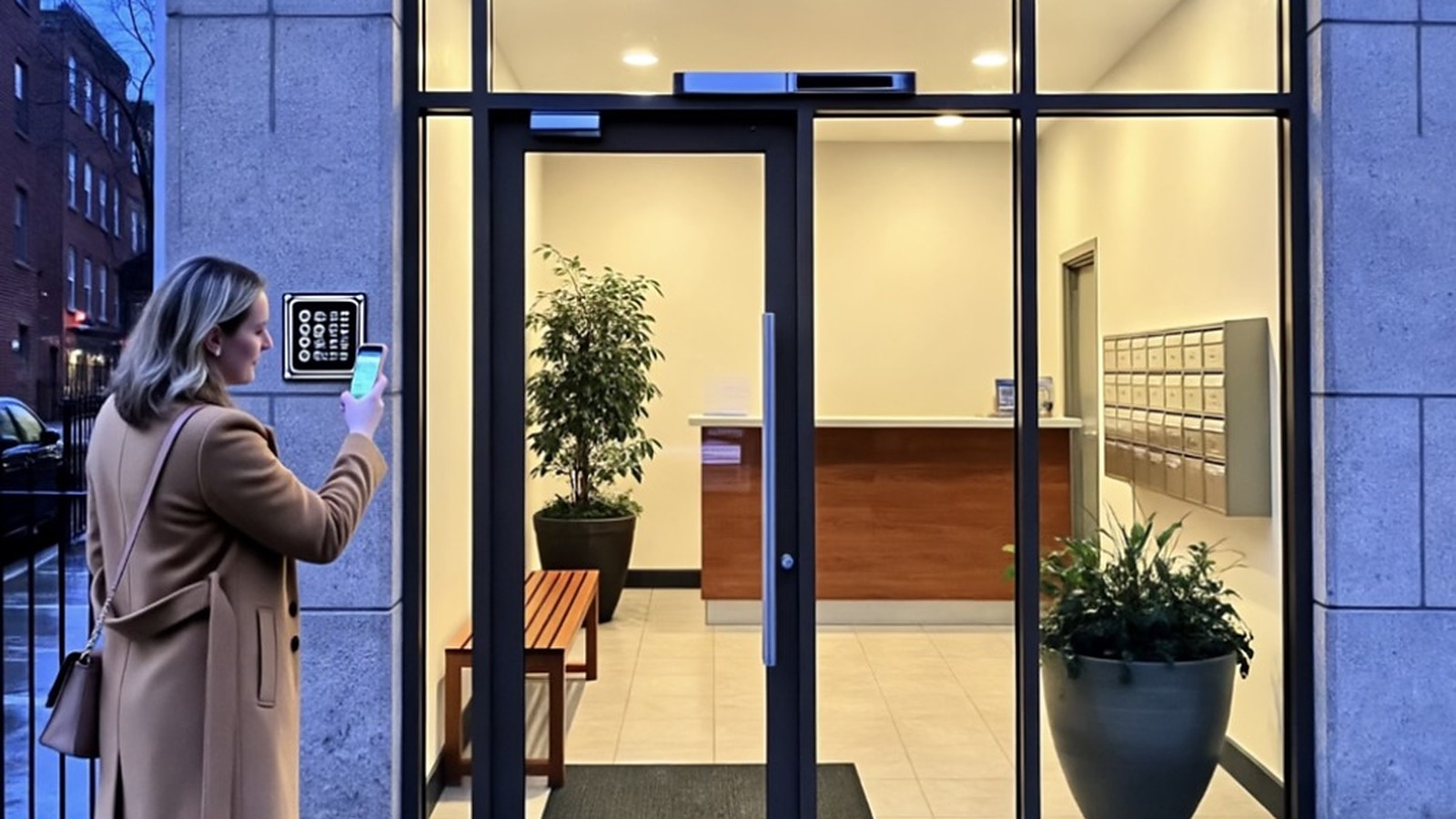
Quick Answer: The best QR code entry system for an unattended lobby lets any visitor scan a code with their own phone, video-call the right tenant or resident, and get the door opened remotely, while expected guests use codes and every visit is logged. DoorVi does this with no entrance panel. Kisi and ButterflyMX suit buildings buying a reader or panel.
Key takeaways
- Ask what the QR code does. Some QR systems only unlock for guests who already hold a pass. An unattended lobby also needs a way for unexpected visitors to reach someone.
- Look at the door side first. The QR code is the easy part. The system has to drive your lock: a relay on the strike or maglock, or an integration with PDK or Brivo.
- Panel or no panel. Kisi and ButterflyMX scan QR passes at a reader or intercom panel. DoorVi, Swiftlane's QR intercom, GateSentry, InVid Tech and Alarm.com's Video Intercom Directory put a code at the door and run the visit from the visitor's phone.
- Keep a log. Without a front desk, the visitor log is your only record of who came in.
- Check support. With nobody on site, fast help matters. DoorVi resolves support tickets within 24 hours.
How a QR entry system works in an unattended lobby
- A weatherproof QR code is mounted at the lobby door.
- The visitor scans it with their phone camera. A browser page opens; no app download is needed.
- The visitor picks a tenant, resident or department and starts a video call.
- The person answering sees the visitor and taps to unlock.
- The unlock goes to a relay wired to the door strike or maglock, or through the building's access control (PDK or Brivo).
- The visit is recorded in the admin dashboard's visitor log.
Picture a common scene: a 40-unit building, a lobby door with a maglock, and a courier standing outside at 7 pm. Nobody is at the desk because there is no desk. What happens next depends entirely on the entry system, and that is what this guide compares.
DoorVi, a QR-code video intercom and visitor management platform, is one of the options below. I'll be clear about where it fits and where something else is the better choice.
What is an unattended lobby?
An unattended lobby is a building entrance with no receptionist, doorman or guard on duty for some or all of the day. Small apartment buildings, walk-up offices, co-working floors after hours and mixed-use buildings often run this way.
The risk is real. In Boon Edam's 2019 survey of 185 US and Canadian security end users and advisors, 71% of end users said their facilities are vulnerable to physical breaches from tailgating, and 74% did not track tailgating incidents at all. Staffing the door is the traditional fix, but it's expensive: the median US security guard wage was $38,020 a year in May 2025 (about $18.29 an hour), before benefits, cover shifts or agency margins.
What is a QR code entry system?
A QR code entry system uses a scannable code, either on the visitor's phone or posted at the door, to request or grant entry. There are two very different designs:
- QR as a credential. The guest receives a QR pass in advance and scans it at a reader or intercom panel. Kisi's Terminal Pro reader or a third-party Wiegand QR scanner and ButterflyMX's visitor passes scanned at the video intercom work this way.
- QR as the intercom. The code is posted at the door. Any visitor scans it and reaches the tenant from their own phone. DoorVi, Swiftlane's QR code intercom, GateSentry's SentrySign, InVid Tech's INVID-QR and Alarm.com's Video Intercom Directory use this model.
An unattended lobby usually needs both: a way for expected guests to walk in with a code, and a way for unexpected visitors to reach someone.
The user journey: one lobby, before and after
Persona: a 40-unit mixed-use building in the US with a single lobby door on a maglock, no front desk, and a part-time property manager.
The visitor or delivery driver
Before: the visitor searches for a buzzer directory, calls a tenant's mobile if they happen to have the number, or waits for someone to walk out. Couriers leave parcels outside.
After: the visitor scans the QR code at the door. A page opens in the phone's browser, they pick the tenant and start a video call. If the tenant has shared a six-digit guest code, the visitor enters it instead and walks in without a call (how guest codes work). Visitors don't see the tenant's phone number unless the tenant turns on "Callback Number."
The resident or tenant
Before: tenants go down to the lobby to let people in, or hand out door codes that never change.
After: the call rings on their phone wherever they are. They see the visitor on video and tap to open the door. For expected guests they create pre-approval passes: single-use, a date range, recurring (a cleaner every Tuesday) or event passes (pre-approval passes explained). Several household members can be linked to one unit, so whoever is available can answer.
The guard or concierge (if there is one part-time)
DoorVi has three entry modes: QR-only, Guard + QR and Tablet + Reception. A building with a daytime concierge can run Guard + QR, with the concierge using the Guard Doorman app, and switch to QR-only after hours. Residents and guards can call each other, and the manager can send broadcast announcements.
The property manager
Setup (day 1): create the property in the admin dashboard at multi.doorvi.co, upload residents by CSV, print and mount the QR code, and connect the door. For a door with no access control, add a relay (ESP32, Sonoff, Tasmota, or a Waveshare ESP32 relay over 2.4 GHz Wi-Fi and MQTT, added in Relay Manager). For a door already on PDK or Brivo, connect through the integration and keep the existing readers and credentials.
Week 1: residents install the app and start issuing guest codes. The manager watches the visitor log to see who is using the door and when.
Month 1: the log shows delivery peaks and repeat visitors, which helps decide whether a tablet "digital concierge" at the entrance is worth adding (tablet concierge guide).
Comparison: approaches for an unattended lobby
| Approach | Visitor uses own phone | Entrance hardware | New wiring | Video calling | Visitor management | Lock / relay integration | Typical cost model |
|---|---|---|---|---|---|---|---|
| Traditional audio intercom | No | Panel + handsets | Yes, to each unit | No | No | Door release | Hardware + install |
| Wired video intercom panel | No | Video panel | Yes | Yes | Varies | Built in | Hardware + install + subscription |
| QR credential + reader | Guests with a pass only | Reader or panel | Reader wiring | Via panel if present | Passes | Built in | Hardware + per-door or per-unit fees |
| QR intercom (code at the door) | Yes | QR sign or plaque | Only for the lock/relay | Yes (most) | Varies | Relay or controller | Subscription + small door hardware |
| DoorVi | Yes | Printed QR (tablet optional) | Only for the relay | Yes | Guest codes, passes, log | Relays, PDK, Brivo | Up to $5 per unit per month, no setup or installation fee |
Named options compared (October 2026)
| Product | How the visitor uses QR | Door hardware | Call from visitor's phone | Published price | Support |
|---|---|---|---|---|---|
| DoorVi | Scans a printed code and video-calls the tenant; guests can use six-digit codes | Relay (ESP32/Sonoff/Tasmota/Waveshare) or PDK/Brivo integration | Yes, video | Up to $5/unit/month, no setup or installation fee | Tickets resolved within 24 hours |
| Kisi | Guest's QR code (emailed or printed) scanned at Kisi Terminal Pro or a Wiegand QR reader | Kisi reader + Controller Pro 2 | Not described | Quote-based | – |
| ButterflyMX | Resident-issued visitor pass scanned at the ButterflyMX panel; timestamped photo | ButterflyMX video intercom panel | Visitor calls from the panel | Quote-based | – |
| Swiftlane QR intercom | Scans a plaque; browser directory; video call | Door Control Unit | Yes, video | Quote-based | – |
| GateSentry | Scans a SentrySign; enters a visitor code in the browser VirtualKeypad, or calls a user | SentrySign (no electronics, per GateSentry) | Yes, secure call | Not published | – |
| InVid Tech INVID-QR | Scans a QR plate; picks tenant or department; app notification | INVID-QRWEBRELAY for strike/maglock | Two-way via app | Licence packs (1/3/5 yr), quote | – |
| Alarm.com Video Intercom Directory | Scans a visitor QR code, browses the directory, starts a video call | Existing Alarm.com doorbell/access control or two components | Yes, video | Through Alarm.com service providers | – |
| Visitly | QR walk-in check-in at a kiosk or iPad; host alerts | Integrates with HID, Brivo, Verkada, Genetec | No (notifications) | Quote-based | – |
Facts come from each vendor's own pages and announcements, checked on 2 October 2026. Prices change; ask each vendor for a current quote.
Where DoorVi fits best
- No panel to buy or mount. The entrance "hardware" is a printed QR code, which suits buildings where a panel is too costly or the door can't take one (video intercom without wiring).
- The call opens the real door. Relays drive existing strikes, maglocks and gate motors, and DoorVi is an official ProdataKey (PDK) integration partner and works with Brivo, so the tap in the app reaches the lock you already have. That is gate automation you can add without replacing the gate: remote gate unlock by phone, through a relay or PDK/Brivo.
- Expected and unexpected visitors in one system. Six-digit guest codes and pre-approval passes cover expected guests; the video call covers everyone else.
- Mode switching. QR-only at night, Guard + QR during staffed hours, or Tablet + Reception in a lobby with a desk.
- Predictable pricing. Up to $5 per unit per month (a unit covers up to 6 members), with no setup or installation fee.
- Support within 24 hours. DoorVi resolves support tickets within 24 hours.
It also helps with visitor parking. The same relay approach can open a gated parking entrance for approved visitors, and the DoorVi for Cars and Vehicles QR tag lets anyone contact a car's owner about wrong parking, an accident or roadside help without seeing their number. It's a practical addition to a building's parking solutions, not a replacement for barrier or payment systems.
When another solution makes more sense
- You need badge readers and credentials for staff. A full access control platform (Kisi, Brivo, PDK) is the core system. DoorVi can sit alongside it for visitors.
- You want a physical screen at the door. If tenants expect a panel with a directory, ButterflyMX or a similar video intercom is the better fit.
- You already run Alarm.com. If your security dealer manages Alarm.com doorbells and access control, its Video Intercom Directory may be the simplest add-on.
- Corporate visitor compliance. If you need ID capture, NDAs or watchlists, an enterprise visitor platform like Visitly is built for that.
- The lobby has no reliable internet. Any cloud QR intercom depends on connectivity at the door and on the visitor's phone signal. Fix coverage first.
Cost example: 40-unit building
Assumptions (labelled): 40 units, one lobby door on an existing maglock, DoorVi at the maximum published rate.
- DoorVi: up to $5 × 40 units = up to $200 a month, or up to $2,400 a year, with no setup or installation fee. Add a relay if the door has no access control (quote-based).
- Staffed lobby, for comparison: 12 hours a day × 365 days = 4,380 hours. At the BLS median of about $18.29 an hour, that's roughly $80,000 a year in wages alone, before benefits, cover and agency fees.
Most small buildings were never going to staff the door, so the real comparison is with a panel system. Get a quote from a panel vendor for the same door, including installation and wiring, and compare it with the numbers above.
Setting it up: the short version
- Check the door: electric strike, maglock or gate motor, and whether it's on PDK, Brivo or nothing.
- Book a 15-minute DoorVi demo and confirm the connection method.
- Install a relay or connect the PDK/Brivo integration (PDK guide, relay options).
- Upload residents or tenants by CSV and send app invites.
- Mount the QR code at eye level at the entrance.
- Test a call, a guest code and the visitor log before announcing it.
FAQ
What is the best QR code entry system for unattended lobbies?
The best one lets any visitor scan a code, video-call the right person and get the door opened remotely, while expected guests use codes and every entry is logged. DoorVi does this without an entrance panel. Kisi and ButterflyMX suit buildings that want a reader or panel at the door.
Can a QR code system open the lobby door?
Yes, if it is connected to the lock. DoorVi opens doors through relays (ESP32, Sonoff, Tasmota, Waveshare) or through PDK and Brivo integrations. The QR code starts the call; the relay or access control system does the unlocking.
Do visitors need to download an app?
No. With DoorVi the visitor scans the code with the phone camera and the call opens in the browser. Residents and tenants use the DoorVi app to answer.
What happens with expected guests when no one can answer?
Residents can issue a six-digit guest code or a pre-approval pass (single-use, date range, recurring or event). The guest enters it and gets in without a live call.
Is my phone number shown to visitors?
No. Visitors don't see a resident's number unless the resident turns on the "Callback Number" option.
What support does DoorVi provide?
DoorVi's support team resolves tickets within 24 hours. Setup guides for PDK, relays and the digital concierge are on doorvi.co.
How much does DoorVi cost for a lobby?
Up to $5 per unit per month, with no setup or installation fee. A unit covers up to 6 members.
Can it work with visitor parking or a gate?
Yes. The same relay or PDK/Brivo connection can open a vehicle gate for approved visitors, and the DoorVi for Cars and Vehicles QR tag helps people reach a car's owner. DoorVi does not do licence-plate recognition or parking payments.
Related questions
- Is a QR intercom secure if someone shares the code?
- What happens to a QR intercom when the internet goes down?
- Which QR access control tags work best for remote gate entry?
- How do delivery drivers get into an apartment building when no one is home? (our guide)
- Can your intercom open the door and the elevator? (our guide)
Conclusion
For an unattended lobby, pick the system by what happens at the lock and who can get through, not by the QR code itself. If you want visitors to call from their own phones, expected guests to walk in with codes, and the call to open your existing door through a relay, PDK or Brivo, DoorVi is built for that, and its support team resolves tickets within 24 hours. Book a 15-minute demo and bring a photo of your lobby door.
About the author: Sachin Gupta is Director of DoorVi. He works with property managers and installers on connecting QR video intercoms to relays, PDK and Brivo at building doors and gates.
By Sachin Gupta, Director, DoorVi · Last updated: 2 October 2026